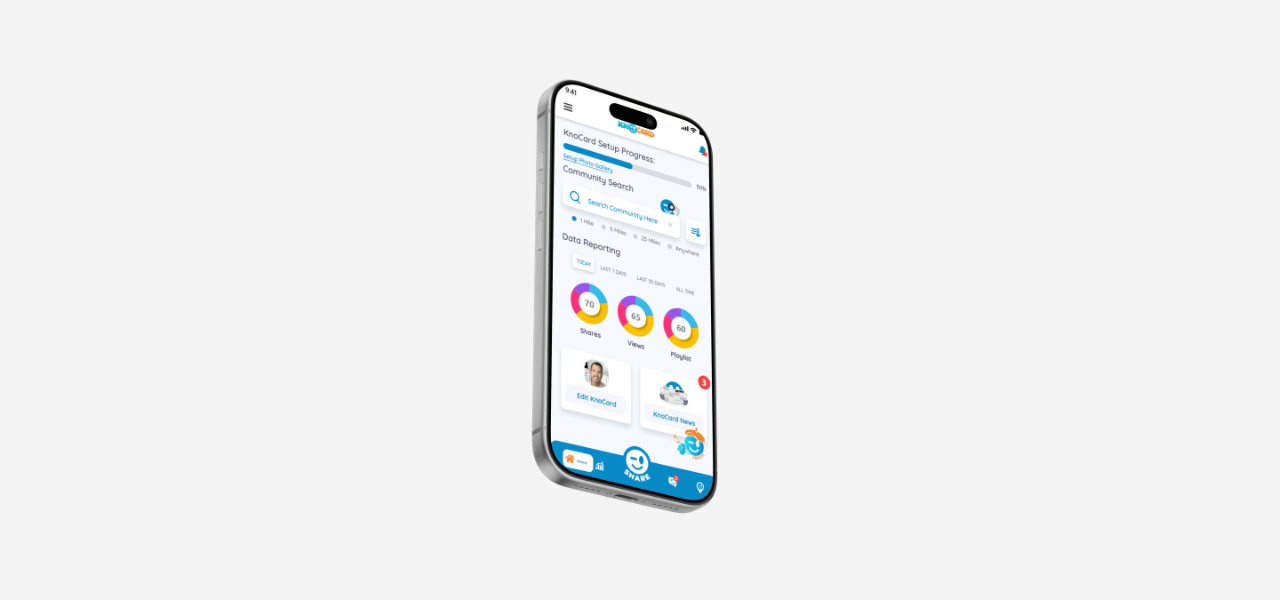
Knocard
Overview
Knocard is a digital business card platform designed to replace traditional printed cards with a simple, shareable online profile. Users can create a professional card containing their contact details, social links, work information, and photo gallery, all accessible from one place.
Instead of exchanging physical business cards that can be misplaced or become outdated, users can share their Knocard profile digitally and keep their information updated anytime.
Role
Product Designer – User Research, Visual Design, Interaction and Prototype
Tool Kit
Adobe Illustrator and Adobe Photoshop
The Problem
Physical business cards are easy to lose, costly to reprint, and difficult to update when contact information changes. They also provide limited space to show a person’s work, photos, social profiles, or additional ways to connect.
Professionals need a more flexible way to share their information, manage their contacts, and present themselves beyond a single printed card.
The Solution
The solution was to design a digital business card platform that allows users to create, update, and share a professional online profile. Knocard combines essential contact details with a photo gallery, social links, and contact-management features in one accessible experience.
Users can easily share their profile digitally, while recipients can save their details without needing a physical card.
The Process
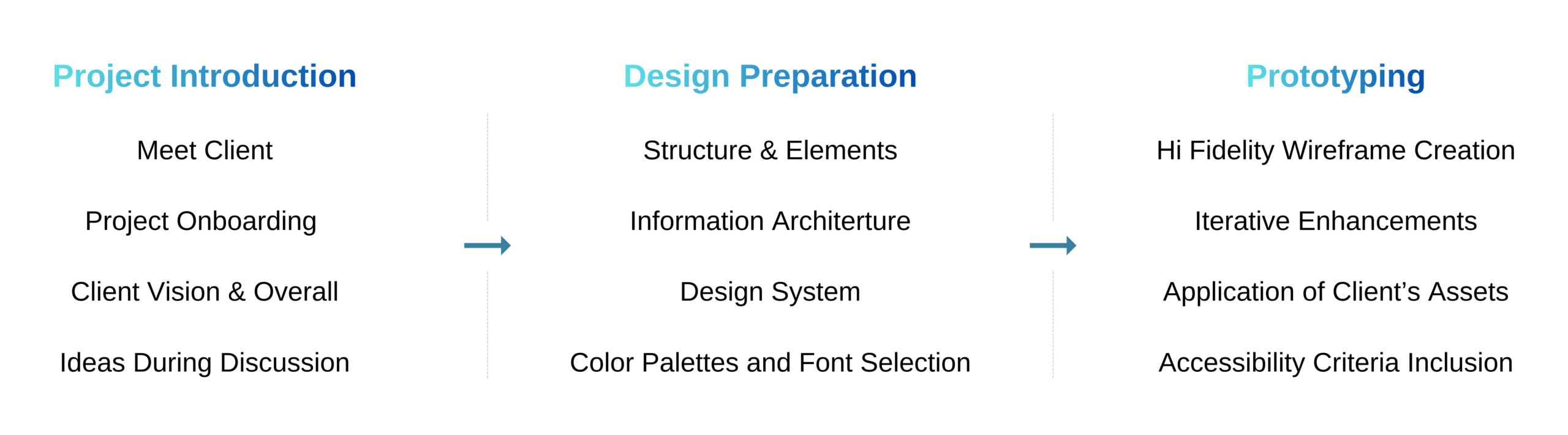
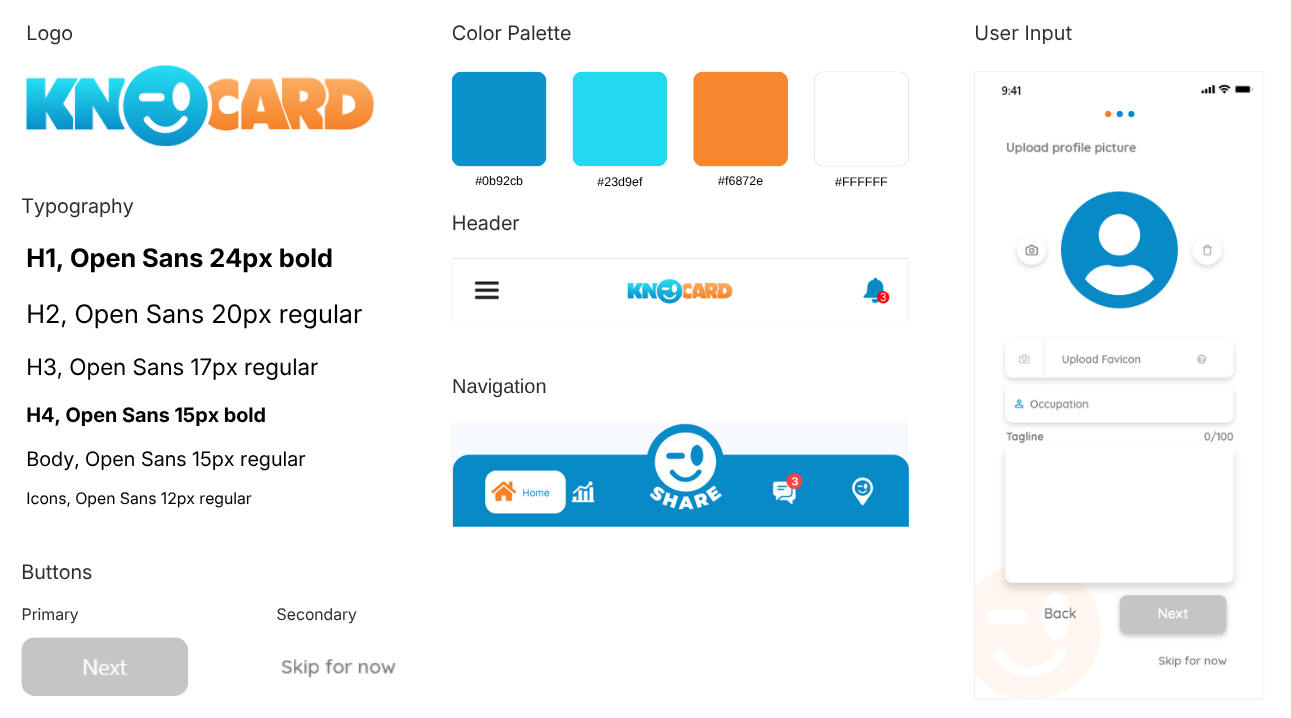
Components
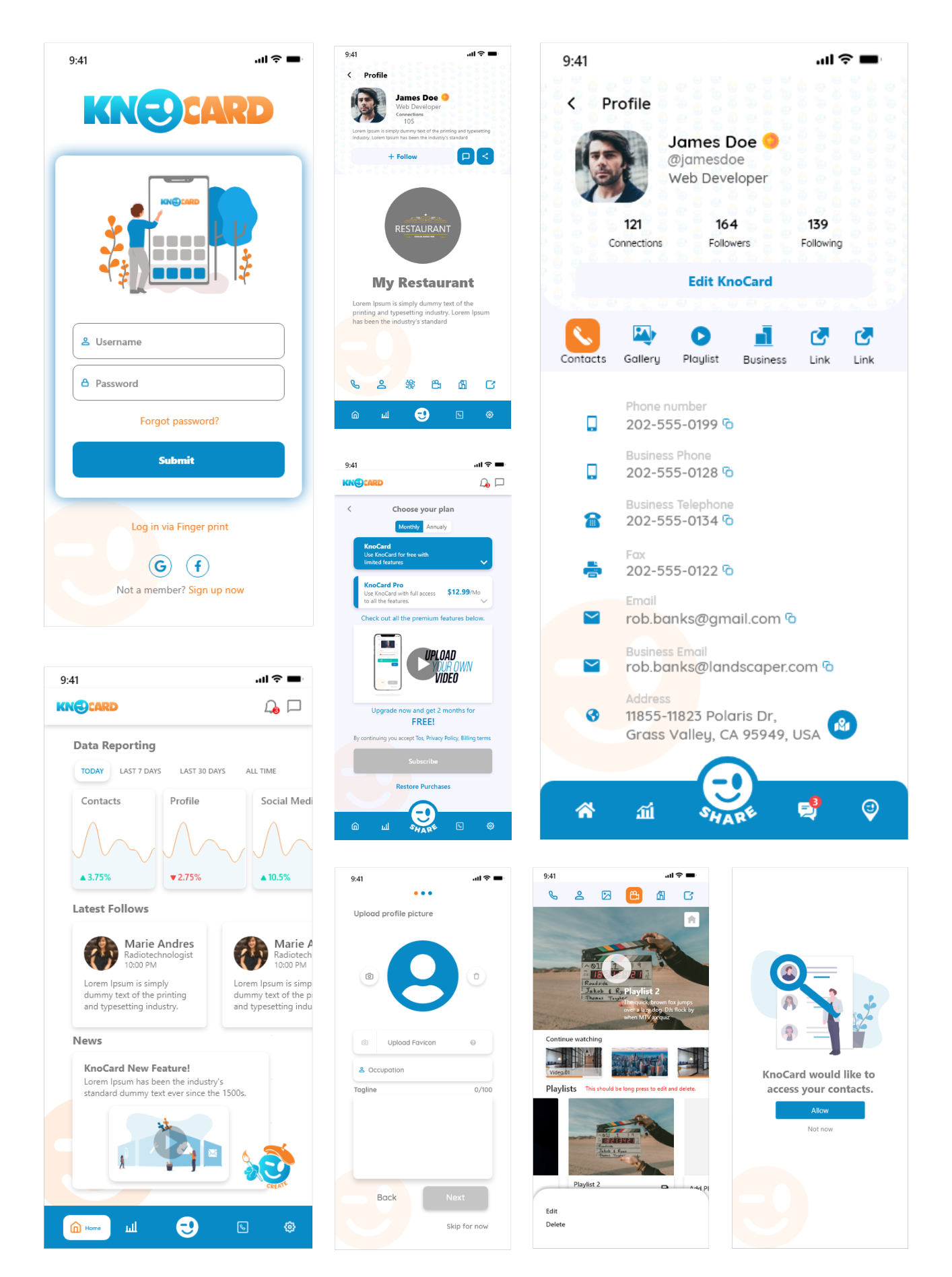
Designing the Experience
Starting with Structure
I began by organizing the main user journeys around creating a profile, adding contact details, uploading photos, and sharing a digital business card. This established a clear hierarchy for the most important information.
Building a Complete Digital Profile
The profile was designed to give users more flexibility than a traditional business card. Along with basic details such as name, role, company, phone number, and email, users can add social links, personal information, and a visual gallery.
Designing for Easy Sharing
The sharing experience was designed to make exchanging details quick and convenient. Instead of handing out a printed card, users can send their Knocard profile digitally so recipients can view and save their information right away.
Organizing Contacts
A contacts section allows users to keep the people they connect with in one place. Clear contact rows and profile previews make it easier to review, manage, and revisit connections.
Adding a Visual Gallery
The photo gallery gives users a more personal and visual way to present their work, brand, or interests. Inspired by familiar gallery layouts, it allows profile visitors to browse images easily.
Key Takeaways
1. Digital profiles offer more value than printed cards
A digital business card can include contact details, links, images, and additional information that would not fit on a traditional printed card.
2. Easy sharing is central to the experience
The product’s value depends on how quickly users can share their information and how easily recipients can access it.
3. Familiar gallery patterns improve usability
Using a familiar image-gallery approach makes it easier for users to upload and browse visual content on a profile.
4. Clear information hierarchy supports networking
Organizing important contact details clearly helps users and recipients quickly find the information they need.
5. Flexible profiles make the platform more personal
Allowing users to add photos, social links, and professional information turns the card into a more complete representation of their personal brand.